Flutter Master Course — من الصفر لحد الاحتراف
عايز تتعلم Flutter وتبني تطبيقات موبايل حقيقية من أوّل سطر لحد النشر؟
الكورس ده معمول علشانك — خطوة بخطوة من البداية جدًا لحد ما تبقى جاهز تبني Apps احترافية وتدخل سوق العمل بقوة.
ليه الكورس ده مختلف؟
-
تطبيقي 100%: كل Concept بيتشرح وبيتطبق فورًا في Projects حقيقية (بتصميم علي Figma).
-
هيكلة كود احترافية: من أول Project Structure لحد Repository Pattern وتنظيم الملفات.
-
UI/UX قوي: تصميم شاشات بروفيشنال، Dialogs، Forms، Theming (Light/Dark)، وResponsive Design لكل الشاشات.
-
تعلم الـSDK بجد: هنفهم Flutter SDK & Dart SDK، Packges، pubspec
-
State Management زي المحترفين: مش بس هنستخدم… هنقارن ونفهم امتى وليه:
setState، InheritedWidget، Provider، Bloc/Cubit، مع Service Locator (GetIt)—ونشتغل على أمثلة توضح الفروق في الأداء، الـScalability، وسهولة الاختبار. -
Data & APIs: SharedPreferences، Hive NoSQL، التعامل مع REST عبر http وDio، Postman & Collections، وAPI Interface نظيف.
-
Tooling وWorkflow: Git & GitHub، تنظيم الفروع، وممارسات فريق الشغل.
- وطبعا غير دة كتير جدا ❤️
هتتعلم إيه بالتحديد؟
-
تجهيز البيئة: Android Studio/Xcode، محاكيات، Flutter/Dart SDK.
-
أساسيات Flutter UI & Widgets وبناء شاشات Production-Ready.
-
Layouts متقدمة، Scrolling، Forms وValidation، Dialogs وأنماط التفاعل.
-
Theming كامل (Light/Dark) + نظام ألوان وخطوط ثابت.
-
Local Storage باستخدام SharedPreferences & Hive.
-
تعلم ال APIs عمليًا بـ http/Dio + التعامل مع الأخطاء والـInterceptors.
-
State Management بالتفصيل مع مقارنة الحالات واختيار الأنسب للمشروع.
-
Code Structure احترافي + Repository Pattern.
-
Responsive UI للموبايل.
-
تحويل تصميمات Figma → Flutter بخطوات منظمة.
-
Git & GitHub: أساسيات + أفضل ممارسات للفِرق.
-
إعداد مشروع جديد من الصفر حتى التشغيل على الأجهزة الحقيقية.
What Will You Learn?
- إزاي تجهز بيئة العمل لـ Flutter على Windows وmacOS خطوة بخطوة
- هتفهم يعني إيه Widgets وتستخدمها ببساطة: زي Container، Row، Column، ListView، وغيرها
- هتعرف تبني شاشات UI احترافية من أول زرار لحد تصميم تطبيق كامل
- هتتعامل مع الصور، الأيقونات، SVG، والخطوط
- هتتعلم إزاي تتنقل بين الشاشات وتبعت بيانات من شاشة للتانية
- هتشتغل على Forms وتضيف Validation بنفسك
- هتستخدم Shared Preferences عشان تخزن البيانات جوه التطبيق
- هتتعلم إزاي تستخدم الـ Bottom Sheets والـ Dialogs بطريقة احترافية
- هتشتغل على تصميم Dark Mode لتطبيقك
- هتبدأ تنظّم مشروعك وتفصل الأكواد بشكل نظيف (Clean Structure)
- هتتعلم State Management من الأساس لحد ما تبقى فاهم إزاي تدير حالة تطبيقك بطرق مختلفة
- هتطبق كل اللي بتتعلمه على مشاريع حقيقية (زي ToDo App – Portfolio App – Task Manager App)
- هتتعلم ازاي تتعامل مع الوقت والتاريخ، وتستخدم الـ Date & Time Pickers
- هتفهم كويس إزاي تختار الصور من الجهاز وتخزنها وتعرضها تاني
- في الآخر: هتكون قادر تبني تطبيق كامل من أول الفكرة لحد ما تنفذه وتعرضه على الناس بكل ثقة
مواد الدورة
- ملفات المشاريع الكاملة اللي هتشتغل عليها خطوة بخطوة
- ملفات التصميم (Figma UI Designs) لكل تطبيق في الكورس
- كود جاهز قابل للتعديل + تعليقات توضيحية لكل جزء
- ملفات Assets جاهزة (صور – أيقونات – SVG) تستخدمها في التطبيقات
- تمارين عملية وتحديات صغيرة بعد كل جزء عشان تتأكد إنك فهمت
- أمثلة حقيقية من سوق العمل ونصائح من خبرة عملية
الجمهور
- أي حد نفسه يتعلم برمجة تطبيقات الموبايل من غير أي خلفية سابقة
- المبتدئين اللي لسه أول مرة يسمعوا عن Flutter وعايزين يبدأوا بداية صح
- طلاب الجامعات أو الخريجين اللي عايزين يتجهوا لمجال التطبيقات
- الناس اللي جربت تتعلم Flutter بس حست إن الشرح معقد أو مشتت
- اللي شغالين في مجالات تانية وعايزين يعملوا شفت لمجال البرمجة
- أي حد عنده فكرة تطبيق وعايز ينفذها بنفسه من غير ما يدفع لحد
- اللي عنده شغف إنه يبدأ مسيرته كمطور مستقل أو يشتغل فريلانسر
- اللي عايز يشتغل في شركة كتطبيق Flutter Junior Developer
محتوى الدورة
Section 1: Course Overview & Getting Started with Flutter
-
Lesson 1: Introduction to course
01:41 -
Lesson 2: How Computers Work? (Introduction to Computers & Software)
15:16 -
?Lesson 3: What is Programming? How Do Computers Understand Code
16:32 -
?Lesson 4: What Are Mobile Applications? & Why Flutter
09:34 -
Lesson 5: Flutter vs Other Frameworks In Depth Analysis Part 1
10:03 -
Lesson 6: Flutter vs Other Frameworks In Depth Analysis Part 2
02:51 -
من اهم الفيديوهات هيفرق كتير جدا ❤️ : Lesson 7
02:17 -
لينكات مهمة جدا جدا 🤝🤝‼️
Section 2: Install Flutter and starter project
-
?Lesson 1: What is an SDK and IDE
10:12 -
Lesson 2: Setting Up Flutter Development Environment Windows
16:16 -
Lesson 3: Setting Up Flutter Development Environment on macOS
09:31 -
Lesson 4: Setting Up Android Emulator & iOS Simulator
15:32 -
Lesson 5: Create new project vscode
02:59 -
Lesson 6: Understanding Flutter Project Structure
13:02 -
Lesson 7: Understanding Material App in Flutter
19:09 -
Lesson 8: Understanding Scaffold in Flutter
13:09
Section 3: Upgrade Flutter, Android studio and VSCode
-
Lesson1: Upgrade Android Studio and VSCode
11:09 -
Lesson 2: Upgrade Flutter SDK
08:55
Section 4: Flutter UI & Application Development Basics
-
Lesson 1: Flutter Widgets The Building Blocks of UI
19:44 -
Lesson 2: Stateless vs Stateful Widgets
10:50 -
Lesson 3: Hot Reload
03:43 -
Lesson 4: Understanding Column Widget
14:04 -
Lesson 5: Understanding Row Widget
08:15 -
Lesson 6: Understanding Container Widget
10:55 -
Lesson 7: Combining Row & Column
19:10 -
Lesson 8: Sized Box, Padding & Margin
16:50
Section 5: First Project | Portfolio App
-
Lesson 1: Introduction to Project and analysis design
05:51 -
Lesson 2:Text and Text Style
27:35 -
Lesson 3: Network Image and Asset Image
14:16 -
Lesson 4: ElevatedButton, TextButton and OutlinedButto
17:55
Section 6: Project 2 Todo app Learn local storage, theming etc
-
Lesson 1: Introduction to Todo app
07:58 -
Lesson 2: Starter project
20:17 -
Lesson 3: Add SVG images
18:54 -
Lesson 4: TextField
13:25 -
Lesson 5:Navigation in flutter
13:15 -
Lesson 6: TextEditingController
14:42 -
Lesson 7: Form and validator
13:57 -
Lesson 8: Setup Home Screen
13:29 -
Lesson 9: Intro to Shared Preferences
22:00 -
Lesson 10: Shared Preferences with string
31:25 -
Lesson 11: SetState and what is rebuild mp4
13:29 -
Lesson 12: Elevated Button icon
21:17 -
Lesson 13: Floating Action Button
17:12 -
Lesson 14: AppBar
12:57 -
Lesson 15: Add Task Screen
13:37 -
Lesson 16: Switch
20:27 -
Lesson 17: Global Key validation
06:19
Section 7: Local Storage and Shared Preference
-
Lesson 1: jsonEncode and jsonDecode
31:14 -
Lesson 2: SharedPrefernce With List
14:08 -
Lesson 3: Work with models
16:26 -
Lesson 4: toMap and toJson
09:44 -
Lesson 5: FromJson
07:18 -
Lesson 6: ListView
16:10 -
Lesson 7: CheckBox
23:53 -
Lesson 8: IconButton, GesterDetector and Expanded
22:19 -
Lesson 9: Task logic and refresh screen
20:42 -
Lesson 10: Bottom Navigation Bar
31:00 -
Lesson 11: Recap tasky app
10:31 -
Lesson 12: ThemeData
11:12 -
Lesson 13: Shared widget and todo screen
27:39 -
Lesson 14: Add Complete Screen logic
23:54 -
Lesson 15: Recap tasky app
18:56 -
Lesson 16: Some Enhancement
12:07 -
Lesson 17: Stack Widget
14:40 -
Lesson 18: Divider Widget
17:04 -
Lesson 19: List Tile Widget
05:33 -
Lesson 20: SwitchThemeData
15:41 -
Lesson 21: Achieved Tasks and good design
26:40 -
Lesson 22: High Priority Tasks
26:19 -
Lesson 23: Complete High Priority Tasks
13:31 -
Lesson 24: build high priority screen
09:49 -
Lesson 25: Nested SingleChildScrollView
09:37 -
Lesson 26: Custom Scroll View
26:10 -
Lesson 27 : Change home screen to Custom Scroll View
10:34
Section 8: Shared Component
-
Lesson 1: CustomTextFormField
23:26 -
Lesson 2: Using Shared Widgets
12:15 -
Lesson 3: handle user details screen
23:01 -
Lesson 4: handle welcome screen
04:58 -
Lesson 5: logout logic
06:30 -
Lesson 6: Preferences Manager
15:38 -
Lesson 7: Complete Preferences Manager
14:31 -
Lesson 8 : Recap Shared Prefrence
05:08
Section 9: App Theme (Light and Dark)
-
Lesson1: Create Light and Dark Theme
13:21 -
Lesson 2: Text Theme Data
12:15 -
Lesson 3: input Decoration Theme
16:11 -
Lesson 4: Color schema
14:25 -
Lesson 5: Custom Check box and theme light and dark
20:16 -
Lesson 6: مش لازم تستخدم State Management في كل مكان
03:06 -
Lesson 7: Value Notifier
15:06 -
Lesson 8: Shared Preference with theming
09:21 -
Lesson 9: Theme Controller مهم جدا
15:07 -
Lesson 10 : light and dark theme with isDark method
14:28 -
Lesson 11: Complete Home Screen
10:59 -
Lesson 12: Button theme
06:33 -
Lesson 13: Text Selection Theme
17:20 -
Lesson 14: Custom Svg Picture
12:48 -
Lesson 15: Splash Factory
08:37
Section 10: Dialogs
-
Lesson 1: Introduction to Dialogs
02:22 -
Lesson 2: Popup Menu Button
10:10 -
Lesson 3: Popup Menu Button Theme
07:44 -
Lesson 4: Enum with Popup Menu Button
11:38 -
Lesson 5: Delete Task Logic
21:21 -
Lesson 6: Alert Dialog with theme and actions
11:13 -
Lesson 7: Show Dialog With Return Type
12:13 -
Lesson 8: Show Dialog with validation
03:43 -
Lesson 9: Show Modal Bottom Sheet
08:57 -
Lesson 10: Edit Task with modal sheet
19:27 -
Lesson 11: Scaffold showBottomSheet
05:47 -
Lesson 12: theme sheet
04:28 -
Lesson 13: draggable scrollable sheet
09:25 -
Lesson 14: Constrained Box
04:44 -
Lesson 15: showTimePicker and showDatePicker
08:27
Section 11: Master Picker File
-
Lesson 1: Image Picker
15:32 -
Lesson 2: Pick Image From Camera and make Custom Dialog for it
10:16 -
Lesson 3: Save Image To Local Storage
13:51 -
Lesson 4: Get Image From File manager
06:13
Section 12: Git and Github
-
Lesson 1: Git Version Control
08:27 -
Lesson 2: Init Git Project
10:40 -
Lesson 3: Github and handle new Repo
12:02
😉 يلة بينا نعلي بالمستوي شوية بقي Section 13: Code Strucure
-
Lesson 1: File Structure
12:59 -
Lesson 2: Shared Components
05:39 -
تعالي نفهم يعني اية بقي state management اصلا من الاول كدة :Lesson 3
16:49
Section 14: Inherited Widget
-
Lesson 1: Introduction to Inherited Widget
21:29 -
Lesson 2: Inherited Widget as State Management
34:26 -
AppData of شغل جوة ال SDK شوية : Lesson 3
13:10 -
عيوب ال Inherited WidgetLesson 4:
05:11 -
Lesson 5: Inherited Widget هنروح فين بعد ال
04:05
❤️ Section 15: Provider State Management
-
Lesson 1: Introduction to Provider
13:21 -
Lesson 2: ChangeNotifierProvider, Read and Watch
21:05 -
Lesson 3: Flutter Provider Consumer
08:40 -
Lesson 4 :Flutter Provider Selector
13:15 -
Lesson 5 : MultiProvider
05:23 -
Lesson 6: context read VS Provider of
06:41 -
Lesson 7: After Provider 🤔
02:18
Section 16: Tasky App With Provider and Project Structure
-
Lesson 1: Add Storage key File
09:26 -
Lesson 2: Create Controller With Home Screen
16:01 -
Lesson 3: Complete Storage Key
12:53 -
Lesson 4: Split home screen to small component
12:35 -
Lesson 5: Consumer More Practice
03:43 -
Lesson 6: Build Context With Provider
09:09 -
Lesson 7 : Add Task Screen With Provider
24:02 -
Lesson 8: Shared Controller
23:38 -
Lesson 9: Share Controller
18:55 -
Lesson 10: Add Upper Controller
11:14 -
Lesson 11: Enhance Tasky App
15:41
تعالي نعرف دلوقتي الشركات شغالة ازاي وانا دوري اية في الشركة ك Section 17 : Flutter Developer
-
Lesson 1: Business Analysis And User Story
10:48 -
Lesson 2: UI UX Design
06:23 -
Lesson 3: Development And QA
09:47 -
مقدمة سريعة عن ال Lesson 4: backend, database and API
13:27
Section 18: API (Application Programming Interface)
-
Lesson 1: Introduction
04:19 -
Lesson 2: BaseUrl
17:37 -
Lesson 3: Endpoints
12:55 -
Lesson 4: API versioning
08:50 -
Lesson 5: Secure API
08:05 -
Lesson 6: Path Parameter and Query Parameter
06:37 -
Lesson 7: PATCH vs PUT vs POST vs GET vs Delete
07:35
Section 19: Postman and Collections
-
Lesson 1 : Postman
16:07 -
Lesson 2: Handle First API
08:57 -
Lesson 3: Handle Second API
08:27 -
Lesson 4: POST Method
04:58
Section 20: New Project
-
Lesson 1: Prepare a new project
08:24 -
Lesson 2: Splash Screen Types
11:17 -
Lesson 3: Implement Custom Splash Screen
08:14 -
Lesson 4: PageView builder Widget
11:33 -
Lesson 5: Handle key and value data
07:18 -
😉 Lesson 6: Learn Models
06:38 -
Lesson 7: Text Button Onboarding Screen
11:13 -
Lesson 8: Page Controller on PageView
13:16 -
Lesson 9: Page Controller on PageView Index
08:55 -
Lesson 10: State management with screen
08:46 -
Lesson 11: Page Controller With Last index
04:09 -
Lesson 12: Page Indicator Widget
09:06 -
Lesson 13: List.generate With Widgets
06:15 -
Lesson 14: Smooth_page_indicator Package
09:59 -
نكمل كلام عن ال API بقي15 😉 :Lesson 15
02:27
مهم للغاية ❤️ Section 21: Dio and HTTP With Api
-
Lesson 1: HTTP vs Dio Packages
10:12 -
Lesson 2: What is Uri
11:00 -
Lesson 3: http with query param
08:52 -
Lesson 4: Permissions Android
08:47 -
Lesson 5: API Response
17:25 -
Lesson 6: Create Model From Response
10:35 -
Lesson 7: Generate Models
05:11 -
Lesson 8: Map List Of Model
06:12 -
Lesson 9: Call New Endpoint
10:30 -
Lesson 10: Make Api Service Shared File In Core
11:10 -
Lesson 11: Enhance API Service
08:30 -
Lesson 12: API Config
03:30 -
Lesson 13: Handle API Exception
08:59 -
ازاي نبدا نفكر في الLesson 14: logic
12:59 -
Lesson 15: Connect Provider With Screen
05:53
Section 22: Newst App New Figma Design
-
Lesson 1: bottomNavigationBarTheme
08:45 -
Lesson 2: Handle Shared Light Colors
06:47 -
Lesson 3: Splash Screen Logic
12:16 -
Lesson 4: Handle Logic
04:58 -
Lesson 5: Navigation Push Replacement
03:40 -
Lesson 6: Mastring Image Types
16:36 -
Lesson 7: Auth Cycle
05:01 -
Lesson 8: Handle Password Logic
09:07 -
Lesson 9: Git init with new Repo
04:22 -
مهم جدا Lesson 10: CustomTextFormField With Password
10:54 -
Lesson 11: Login Screen Full Ui
05:52 -
Lesson 12: Signup Screen Ui
07:20 -
Lesson 13: RegEx With Validator
09:42 -
Lesson 14: Validator With RegExp
04:52
Section 23: Working With App Logic
-
Lesson 1: Register Logic
21:28 -
Lesson 2: Login Logic
10:28 -
Lesson 3: Home Screen (Stack)
11:17 -
Lesson 4: Stack With ClipRRect Figma UI
12:04 -
Lesson 5: Shared Controller Data Across Component
05:36 -
Lesson 6: Good User Experience
03:11 -
❤️ Lesson 7: Handle RequestStatusEnum With Switch Cases
07:59 -
Lesson 8: LinearGradient With Network Image
07:54 -
Lesson 9: Positioned With Stack
12:27 -
Lesson 10:Take 6 Item From List
05:59 -
Lesson 11: Format DateTime
08:10 -
Lesson 12: View All Shared Component
10:59 -
Lesson 13: Categories Component
08:50 -
Lesson 14: CategoriesList Component
04:37 -
Lesson 15: IntrinsicWidth Widget
07:52 -
Lesson 16: Add Login With State Management
06:00 -
Lesson 17: Expanded List View
05:19 -
Lesson 18: Custom Scroll View (Preview)
11:49 -
Lesson 19: SliverList.builder
12:19 -
Lesson 20: Format Date Time To Model
06:47 -
Lesson 21: extension on DateTime
08:52 -
Lesson 22: Split Home Screen
05:12 -
Lesson 23: CachedNetworkImage
11:28 -
Lesson 24: Shimmer Package
03:31 -
Lesson 25: TopHeadlineShimmer
07:24 -
Lesson 26: Controller Logic
05:49 -
Lesson 27: Category Screen
06:21 -
Lesson 28: ChangeNotifierProvider
06:21 -
Lesson 29: Handle Project Main
09:56
Section 24: Responsive design For Mobile
-
Lesson 1: Introduction To Responsive design (Preview)
06:05 -
Lesson 2: Handle Font Sizes
15:26 -
Lesson 3: App Sizes Class
14:41 -
Lesson 4: Handle Light theme and dark theme button
06:11 -
Lesson 5: Handle AppSizes
09:49 -
Lesson 6: AppSizes With Light And Dark Theme
06:28 -
Lesson 7: App Sizes With Profile
03:34 -
Lesson 8: Finalize Responsive Project
05:22 -
Lesson 9: Start With Responsive Second Project Make Setup
07:07 -
Lesson 10: AppSize With Home Screen
08:59 -
Lesson 11: Complete Second Project
08:16
(مهم جدا) Section 25: Repository Pattern
-
Lesson 1: Introduction to Repository Pattern (Preview)
10:57 -
Lesson 2: Create First Repository
08:56 -
Lesson 3: Api Service Singleton Pattern
05:57 -
Lesson 4: Inject Object on Constructort
04:34 -
Lesson 5: Mock Repo With abstract class
08:53 -
Lesson 6: Inject Objects
13:37
Section 26: UI With Figma File To Flutter
-
Lesson 1: handle dispose with notifyListeners
07:04 -
Lesson 2: Safe notifyListeners
05:08 -
Lesson 3: Search Screen
07:40 -
Lesson 4: Search Controller
10:54 -
Lesson 5: Image Picker
09:42 -
Lesson 6: Build Profile Items
13:02 -
Lesson 7: Shared Component
03:59 -
Lesson 8: Handle Render error with keyboard
04:48 -
Lesson 9: ShowModalBottomSheet With Edit Profile
14:25 -
Lesson 10 : Update User Data
04:23 -
Lesson 11:ShowModalBottomSheet With Future
08:57 -
Lesson 12: Country Picker Package
11:56 -
Lesson 13: News Details Screen
05:26 -
Lesson 14: News Details
12:41
Section 27: local data persistence
-
Lesson 1: Introduction to local data persistence
18:50 -
Lesson 2: Simple App Using file data
08:06 -
Lesson 3: Complete App Using file data
08:41 -
Lesson 4: Tasks With Local Files
07:06 -
Lesson 5: Handle FileStorageManager Singleton
11:35 -
Lesson 6: File exists
08:41 -
Lesson 7: Finish Read Write From File
11:13
Section 28: Hive NoSQL Database
-
Lesson 1: Introduction To Hive
17:29 -
Lesson 2: Hive boxes
06:08 -
Lesson 3: Hive with ValueListenableBuilder
10:37 -
Lesson 4: Hive With defaultValue
03:27 -
Lesson 5: FutureBuilder
12:04 -
Lesson 6: LazyBox With Hive
06:07 -
Lesson 7: build_runner and hive_ce_generator With Code Generator
14:22 -
Lesson 8: Hive With List Of Models
08:44
Section 29: Hive practice two projects
-
Lesson 1: Switch Project With Hive
14:43 -
Lesson 2: User Repository
17:26 -
Lesson 3: Create User Repo
18:35 -
Lesson 4: Start with AI
08:09 -
Lesson 5: Claude VS Cursor VS Firebender
13:40 -
Lesson 6: Start Using AI With User Reposatory
11:08 -
Lesson 7: Create BookmarkModel Using AI
13:39 -
Lesson 8: Create BookmarkRepository Using AI
08:57 -
Lesson 9: Create BookmarkController using AI
05:05 -
Lesson 10: BookmarkButton Using AI
09:31 -
Lesson 11: Create BookmarkScreen using AI
06:11 -
Lesson 12: Complete Feature with AI
07:06 -
Lesson 13: Recap Code
29:24
Section 30: Bloc & Cubit State Management
-
Lesson 1: Introduction to BLoC & Cubit
18:41 -
Lesson 2: What is state in cubit
18:59 -
Lesson 3: What is cubit
12:18 -
Lesson 4: BlocProvider and BlocBuilder
19:11 -
Lesson 5: Use Data types with cubit
11:18 -
Lesson 6: Converting Cubit to Bloc
23:02 -
Lesson 7: What is Equatable
11:54 -
Lesson 8: To-Do App Using Cubit
38:36 -
Lesson 9: To-Do App Using Bloc
10:42 -
Lesson 10: Make API Calls with Cubit State Management
50:17 -
Lesson 11: Hydrated Bloc State Persistence & Restoration
23:10 -
Lesson 12: BlocListener – When to Use
15:40 -
Lesson 13: BlocConsumer – When to Use
04:12 -
Lesson 14: BlocSelector – Optimizing State Selection
19:47 -
Lesson 15: BlocObserver – Tracking Events, States & Debugging in BLoC
07:15
Section 31: Bloc & Cubit From Provider To Cubit
-
Lesson 1: From Provider To Cubit Intro
15:56 -
Lesson 2: Complete Home Screen Using Cubit
10:53 -
Lesson 3: onboarding screen using Cubit
07:27 -
Lesson 4: Complete Practice on Cubit with Real project
22:06
Section 32: Auth Cycle with Refresh Token and Access Token
-
Lesson 1: Intro To Refresh Token And Access Token
13:53 -
Lesson 2: Login Cycle With Cubit
26:13 -
Lesson 3: Authorization and Bearer Token
15:11 -
Lesson 4: Complete Repo Cycle
15:37 -
Lesson 5: Handle User Flow With Login
13:28 -
Lesson 6: User Model With Hive
02:48 -
Lesson 7: Signup with cubit
09:43
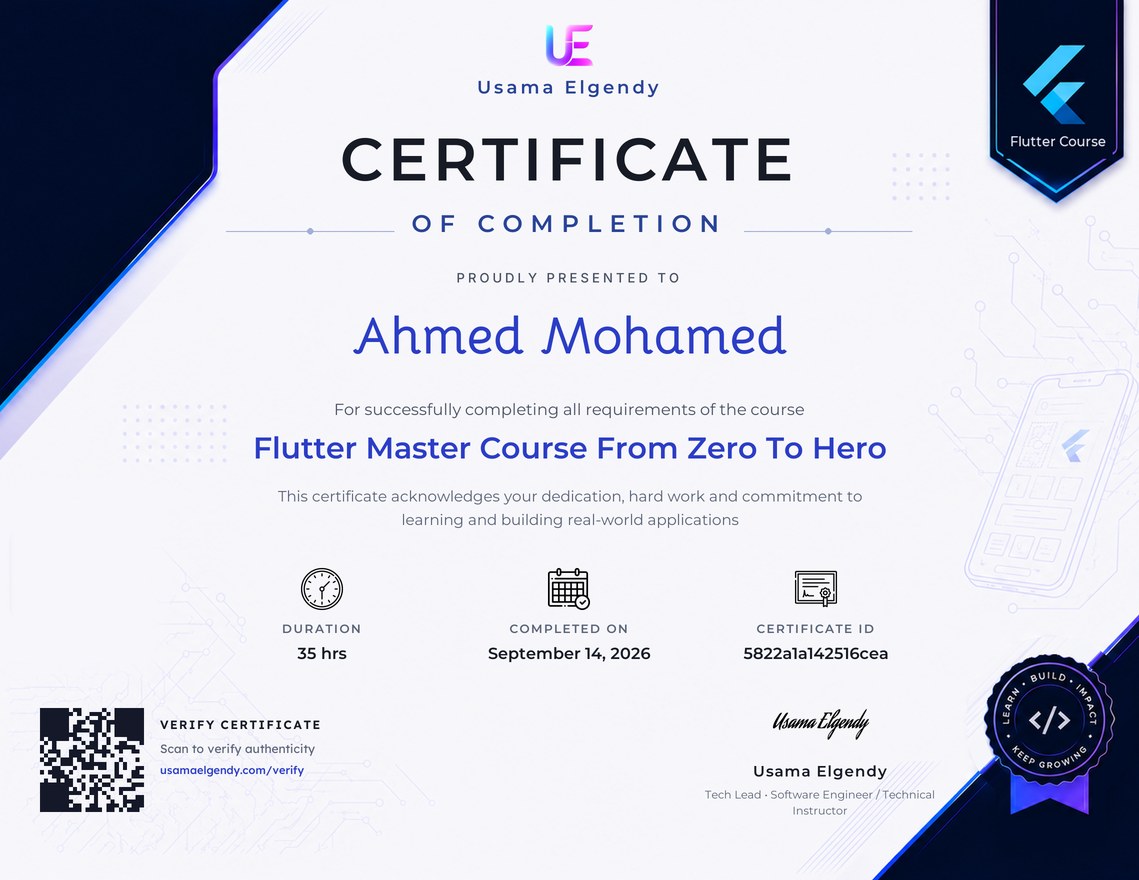
احصل على شهادة معتمدة تثبت مهاراتك
أضف هذه الشهادة إلى سيرتك الذاتية لتُبرز مهاراتك وتزيد من فرصك في لفت انتباه أصحاب العمل. 💼✨
تقييمات ومراجعات الطلاب
عجبني جدا تسلسل الكورس واستناد الشرح على التطبيق عمليا خطوة بخطوة في تطبيق فعلي.